
Free · Open source · For Claude Code, Codex and MCP
Tell your agent your day.It lands in your calendar.
ASMO is a quiet calendar and to-do list for macOS. Claude Code, Codex or any MCP app can read your days and change them: add and move items, check things off, and write notes with pictures, tables and diagrams. The app runs no model of its own.
Free and MIT licensed. Apple silicon Mac, macOS 15 or later. Signed and notarized.
For agents
Your agent does the thinking. ASMO keeps the days.
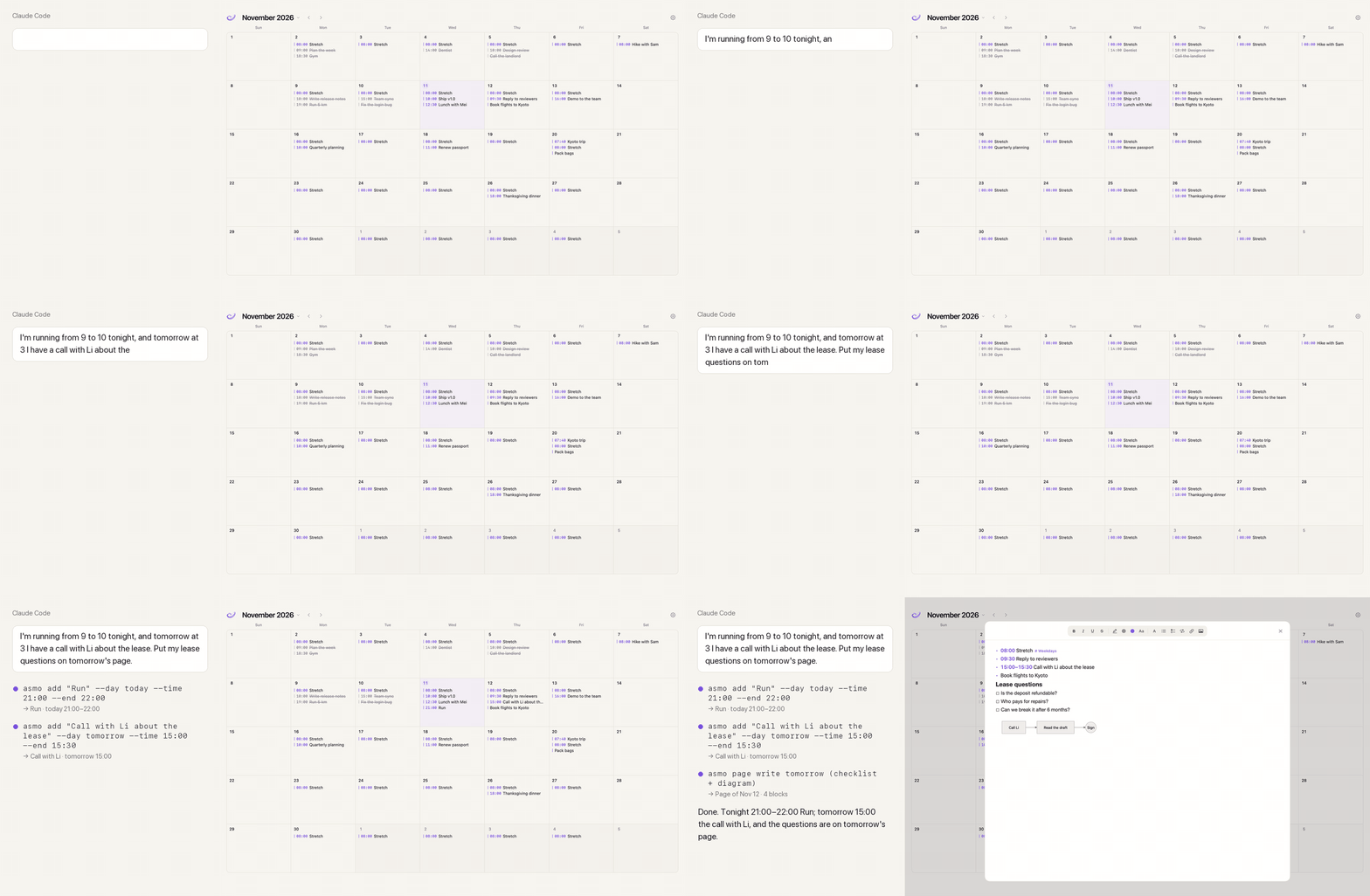
Coding agents already understand what you mean. ASMO gives them a place to put it: a command line for agents with a shell, and an MCP server for apps without one. Dates and times arrive as fields, so nothing is guessed, and every change can be undone.
Claude Code and Codex
A skill teaches them the asmo command. Open a session in any folder and say what your day looks like.
The Claude desktop app
The same abilities as MCP tools: read a day, add tasks, write a page, undo. Registered for you by asmo setup.
Changes show as they happen
The app is the only writer of its data. An open calendar or page redraws the moment the agent writes.
# what an agent runs (you can too)
asmo today
asmo add "Call Li about the lease" --day tomorrow --time 15:00 --end 15:30
asmo set 3f9a --time 16:00        # a new start keeps the length
asmo done 3f9a
asmo undo
Day pages
Notes in Markdown, kept as a page you can edit.
- Write in Markdown. Headings, emphasis, links, lists, checkboxes, quotes, tables and code blocks become real formatting on the day's page.
- Diagrams without a model. A mermaid block is drawn by a copy of mermaid inside the app, and its source stays inside the picture.
- Pictures by path or link. Screenshots, photos and mock-ups are scaled to the page.
- Edit one block at a time. Agents read the page as blocks b1, b2… and replace or remove one without touching the rest.
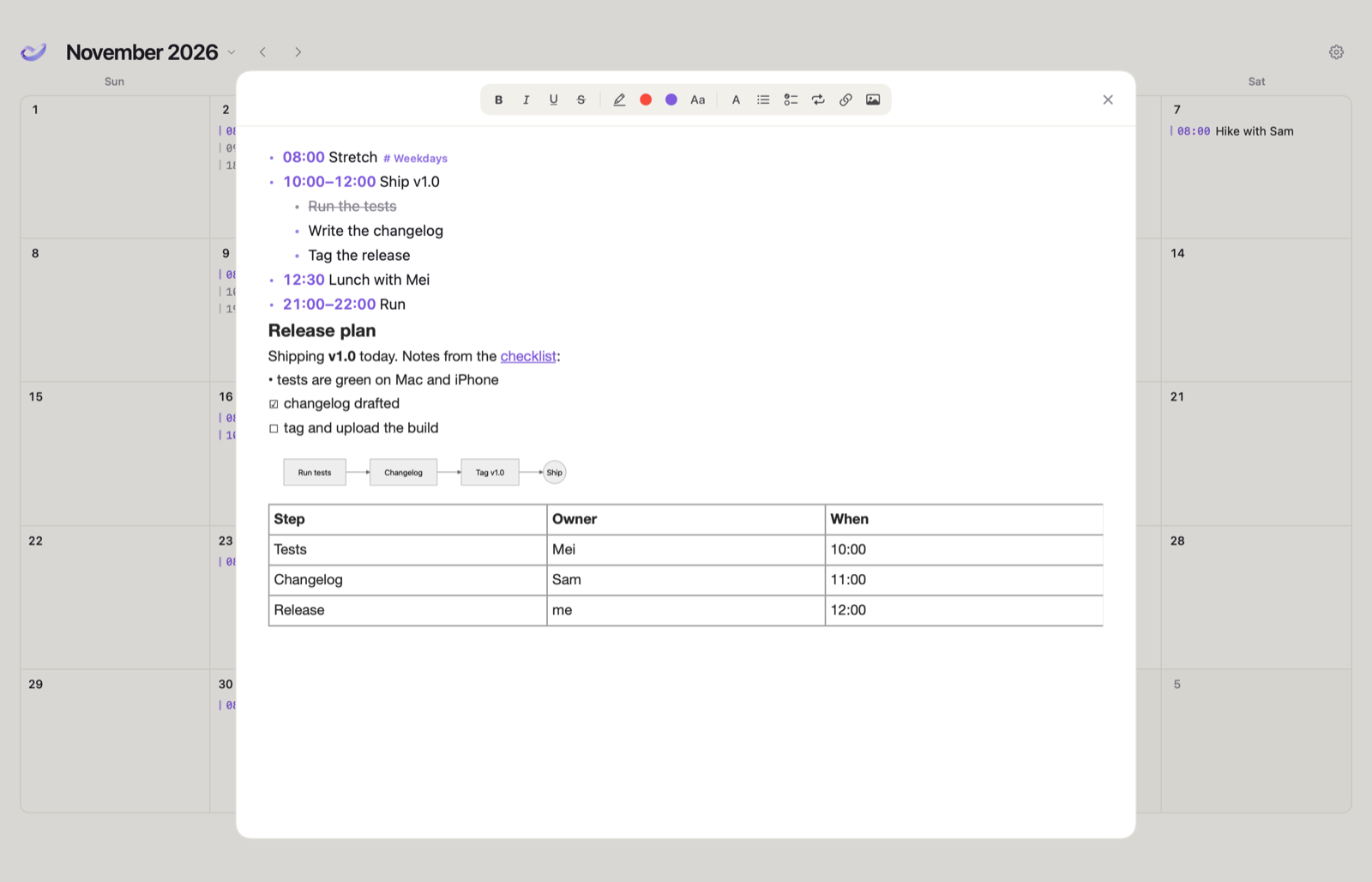
asmo page write today <<'MD'
## Release plan
Shipping **v1.0** today.
```mermaid
graph LR
  Tests --> Changelog --> Ship
```
MD
By hand, too
A calendar that stays out of the way.
Without an agent, ASMO is a month calendar with a page for every day.
Month at a glance
Every day lists its items in time order; finished ones are struck through. Drag an item to another day to move it.
Subtasks and routines
Nest items three levels deep. Routines repeat every day, on weekdays or on the days you pick, and can be skipped for one day.
Dates that matter
Birthdays, anniversaries and holidays return every year, in the Gregorian or the Chinese lunar calendar.
Apple Calendar beside it
Optionally show your Apple Calendar events next to your items, read through macOS with your permission.
English and Chinese
The interface follows your Mac, or pick a language in Settings. What you write stays exactly as you wrote it.
Private by default
Your data is a local file on your Mac. No account, no sync service, nothing uploaded.
Install
Download, open, then just ask.
Download
Get the zip from GitHub Releases, unzip it and move ASMO to Applications. It is signed and notarized by Apple.
Open it
ASMO connects Claude Code, Codex and the Claude desktop app on your Mac by itself. Nothing to type; Settings shows what is connected.
Talk to your agent
Open a new session and say what your day looks like. New versions arrive with one click: ASMO checks for updates by itself.
FAQ
Plain answers.
Is it free?
Yes. ASMO is MIT licensed, with no account, subscription or usage limit. The source is on GitHub.
Does the app use AI?
No model runs inside ASMO. The agent you already use does the understanding; ASMO stores exactly what it is told. Text you type by hand is turned into dated items by simple date-and-time rules.
What does my agent send, and to whom?
ASMO only receives commands on your Mac. What your agent sends to its own provider is between you and that agent.
Can I undo what an agent did?
Yes. asmo undo (or the undo MCP tool) takes back the last change, and the ones before it, until the app is restarted.
How does it update?
ASMO checks GitHub Releases after it opens and once a day. When a new version is out it asks; Update Now downloads it, checks the signature, replaces the app and reopens it. Your data is not touched.
Which Macs are supported?
Apple silicon Macs with macOS 15 or later. An iPhone app builds from the same source, but it doesn't sync with the Mac yet.